Section Merge
Join Sections into Super-Sections
The Analysis module generates linear Treatment schemes along each Section of your Network. By default, Treatment schemes never cross Section boundaries. However, it can sometimes be useful to treat adjacent Sections as one, e.g. a stretch of consistent deterioration, all Sections of an A-road.
Use the Section Merge feature to join adjacent Sections into longer Super-Sections (continuous linear merges with no junctions or loops). This creates a simplified representation of your Network that can form the basis of a Treatment Set. If a generated Treatment scheme spans multiple Sections, it is divided into multiple Treatment items (one per Section) with the same Scheme ID.
Manage merges
In the Management toolbar, select Section Merge to show existing merges, grouped by status. Select one to open its configuration.
To delete a merge, hover over it and select Delete. This will also delete the corresponding Super-Section Layer.
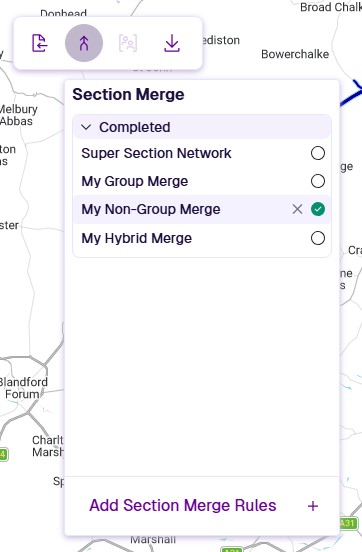
Add Section Merge Rules
To create a merged Super-Section Layer, use one of these methods:
-
Group Merge - supply a grouping file that assigns a Group ID to each Section. Only Sections with the same Group ID may be merged.
-
Non-Group Merge - automatically join all Sections in the Network using connection rules. No grouping file required.
-
Hybrid Merge - combines both modes. Group Merge rules apply first, then Non-Group Merge rules handle remaining Sections.