Export History
Review and download data exports
Throughout CausewayOne Asset Strategy, you can export the data of various objects, e.g. Layers, Reports, Works Plans. When the data is ready to download, the file will appear in your web browser's Downloads.
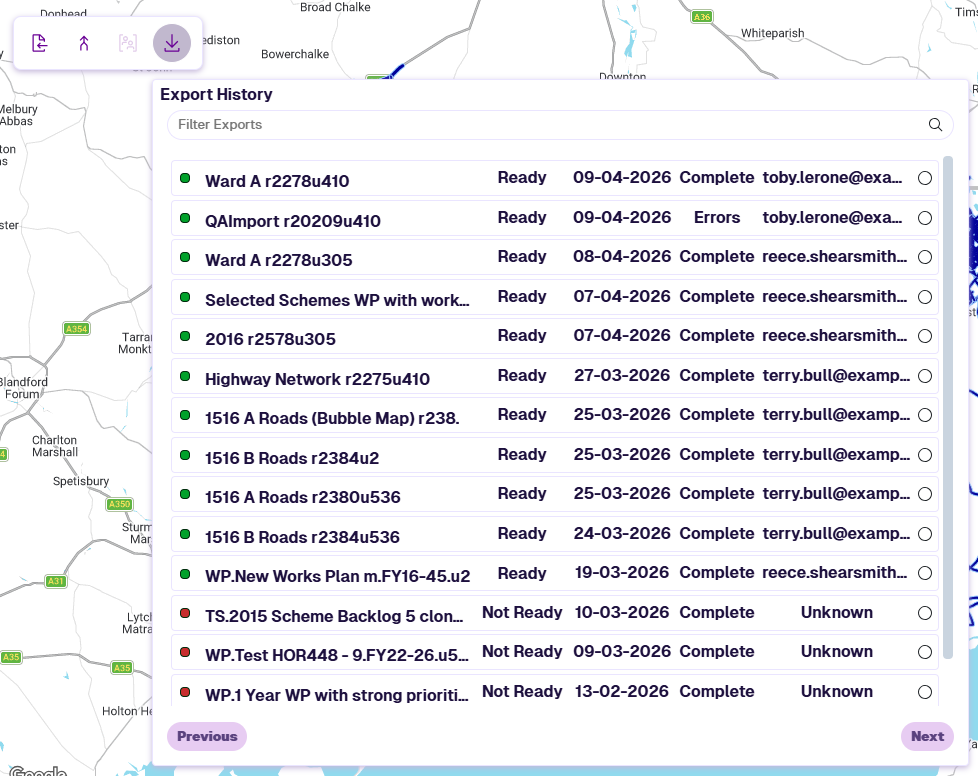
To access past exports, select Export History in the Management toolbar. It gives you another opportunity to download export files, especially those that took time to generate. It also serves as an audit trail of past export activity.
Each export shows the following:
-
Name - the filename of the export.
-
Ready / Not Ready - whether the generated file is still available to download. Files may expire after a period of time.
-
Date - when the export was requested.
-
Status - whether the export completed successfully or encountered errors.
-
Creator - the email address of the user who requested the export.
Download an export
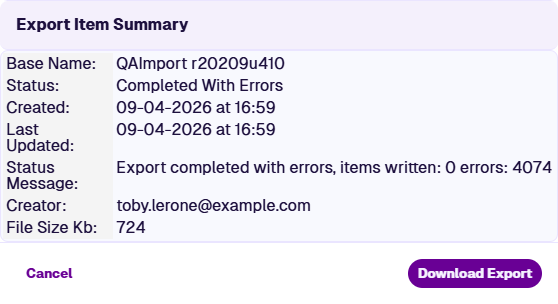
Select an export to view its summary details, then select Download Export. If the button is disabled, the file is no longer available.
Exports typically download as CSV files. However, Layer data can also be exported in other file formats, see Exporting Layers.