Management
Configure data imports, section merges and users
The Management module gives administrators the tools to maintain CausewayOne Asset Strategy. Import external datasets into your Network, merge Sections for Treatment planning, manage user permissions and review export activity.
Features
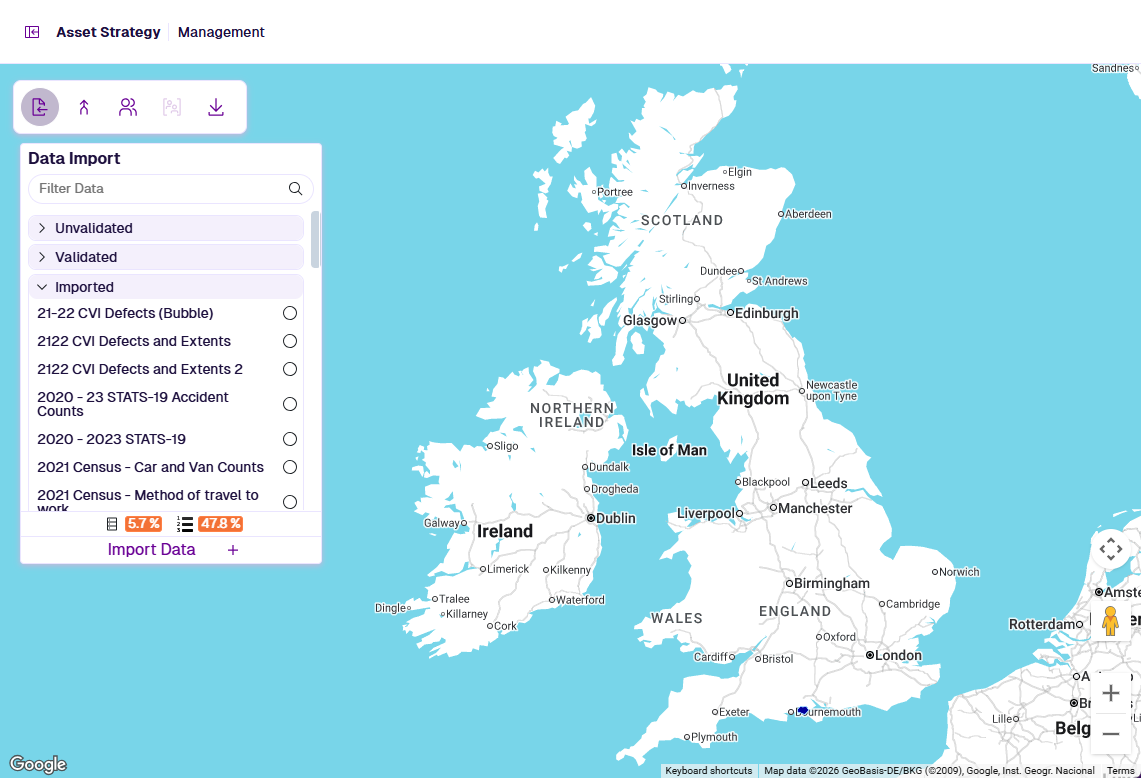
In the Management module, use the floating toolbar to access these features.
Data Import
Data Import lets you bring external datasets into Asset Strategy to enrich your Network with condition measurements, inventory records, and works data. Upload GIS files or CSV data with optimal geometry and then map your columns to Asset Strategy fields. Each import is validated against your Network before commit, with detailed error and warning reporting. Once imported, a default Layer is created for Explorer visualisation, and the data source is available for graphing and analysis across the application.
Section Merge
Section Merge enables Treatment schemes to span Section boundaries by merging adjacent Sections into continuous Super-Sections. Three merge modes are available: Group Merge (manual, via a grouping file), Non-Group Merge (automatic, by proximity and alignment), and Hybrid Merge (both combined). The resulting Super-Section Layer can then be the Network input for a Treatment Set in Analysis.
Users
Users covers account management and controlling access to Asset Strategy. Administrators can create, edit and remove user accounts, and assign roles based on the modules and features each user requires.
User Groups
If enabled for your company, User Groups provide additional, granular access control. Group members can be granted specific permissions for features, data sources, Layers, Treatment Sets and Works Plans. Objects created by a user are private by default and can be selectively shared with groups the owner belongs to, giving precise control over what each team can view and edit.
Export History
Export History lists all exports generated for download, giving you another opportunity to retrieve files that took time to generate. It also serves as an audit trail of past export activity by user.
Some features may be limited depending on your account access. See Users.
Contents
🗃️ Data Import
Import GIS and CSV data to your Network
🗃️ Section Merge
Join Sections into Super-Sections
📄️ Users
Manage accounts and access
📄️ User Groups
Optional advanced permissions
📄️ Export History
Review and download data exports