Priorities
Prioritise Treatments for local factors
A Priority uses spatially-referenced data to influence the ranking and selection of Treatment schemes in a Works Plan.
While Condition Parameters model asset deterioration, Priorities add location-based weighting. This steers Treatments towards areas that meet certain local conditions, beyond what condition scores alone can capture, e.g. accident hotspots, flood risk areas, schools, hospitals, traffic volumes.
Each Priority is built from Layers that already exist in your company project. Selected Layer Styles are assigned weighted values, which boost the score of any Treatment scheme they overlap.
Manage Priorities
In the Analysis toolbar, select Priorities to show existing Priorities. Select one to open its configuration.
To perform an action, hover over a Priority and select Options:
-
Clone - configure a new copy of the Priority.
-
Delete - permanently delete the Priority.
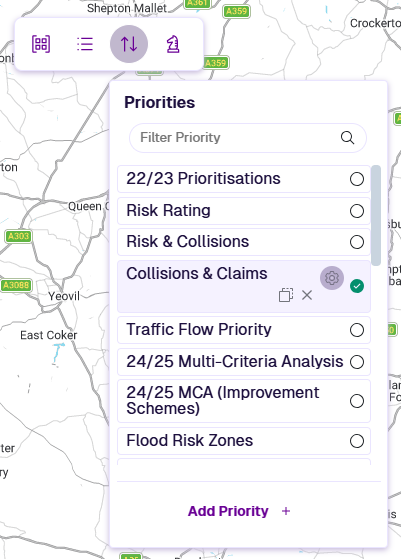
Add Priority
To create a new Priority:
-
In the Analysis toolbar, select Priorities and then Add Priority. Enter a descriptive name and select OK.
-
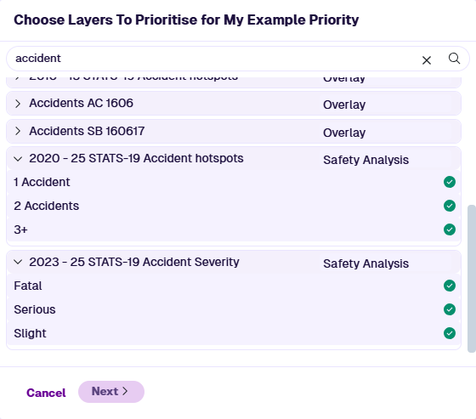
Available Layers are listed. Select a Layer to show its styles. Each style represents a single data range or formula result. Select the styles that define the locations you want to prioritise Treatments for, e.g. accident data. You can select multiple styles from one or more Layers. Select Next.
-
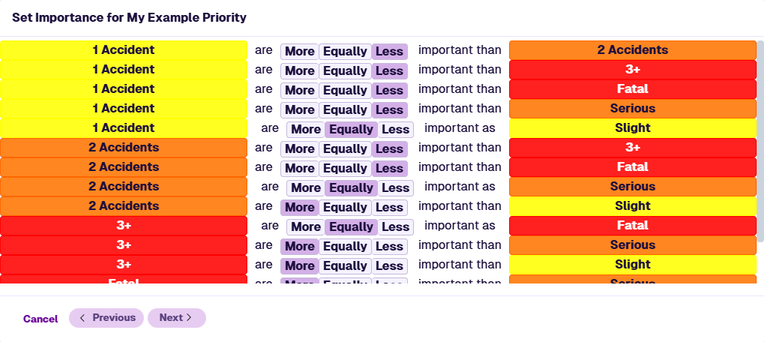
For each pair of selected Layer Styles, choose whether one is More, Equally, or Less important than the other. The system evaluates the consistency of your choices and uses them to calculate a suggested weighting for each Layer Style. Select Next.
-
The calculated weighting for each Layer Style is shown, normalised to values between
0and1. To adjust the weightings, use the sliders or enter values directly. Select Save to finish.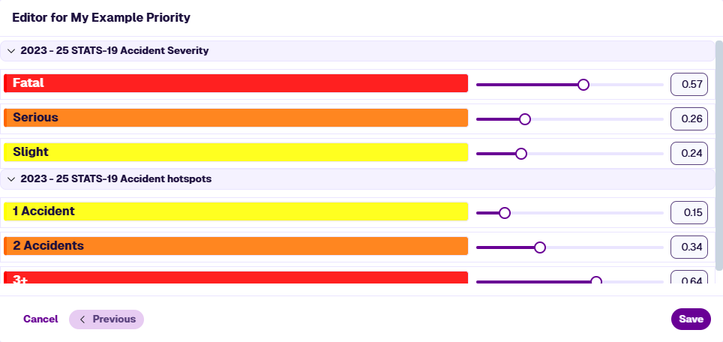
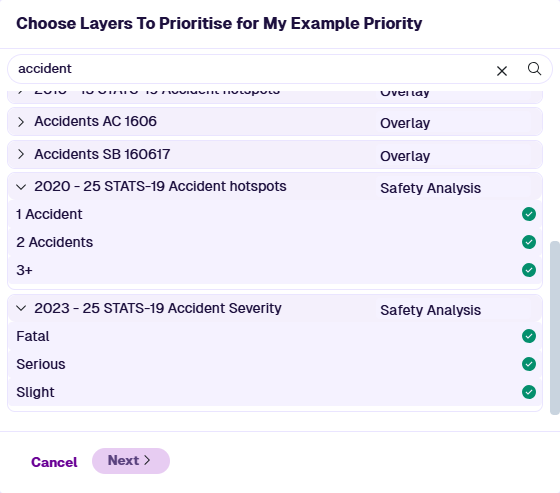
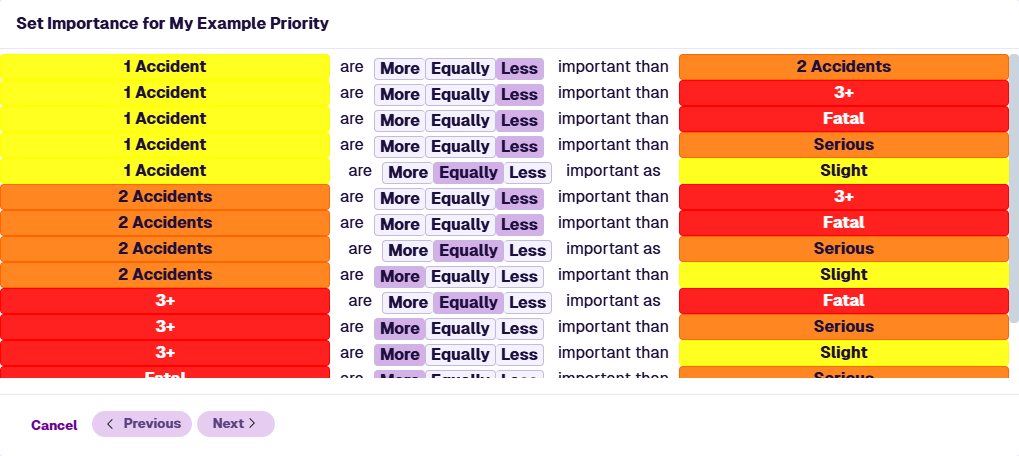
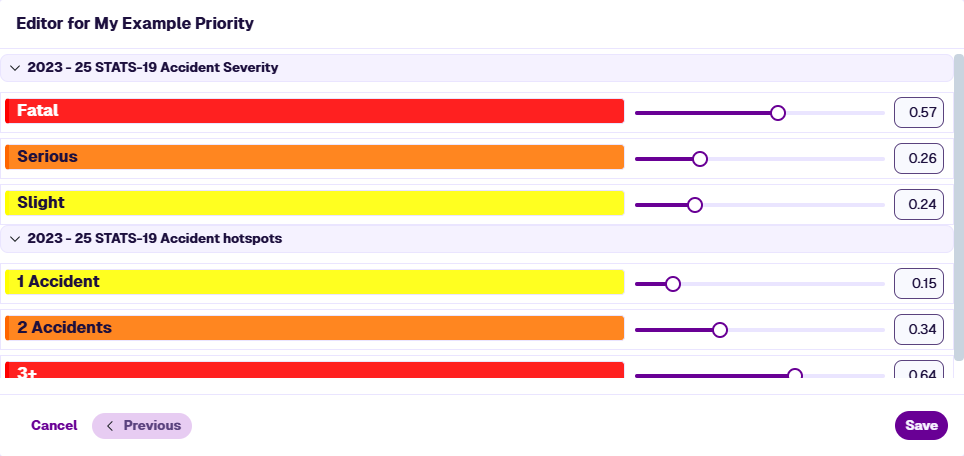
Use in Works Plans
When creating a Works Plan, select Prioritisation in the 1 Details section and choose a single Priority from the list. This is optional.
Once a Works Plan has run successfully, you can view its Works Plan Summary Report. The Priorities section shows the Priority name and a breakdown of the Layer Styles and weighting values used.
Priority calculation
If Prioritisation is set, a Prioritisation Score is calculated for each potential Treatment scheme.
First, a Priority Score between 0 and 1 is calculated for each subsection in the scheme. This uses the weighting values for each Priority Layer Style that overlaps the subsection, e.g. if all Layer Styles in the Priority overlap the subsection, its Priority Score will be 1.
The sum of these Priority Scores becomes the Scheme Prioritisation Score. This is added to the Scheme Condition Benefit Score, which ultimately determines the ranking and selection of Treatment schemes in each Works Plan scenario.