Manage Treatments
Access and organise your Treatments
Treatments represent the maintenance procedures available for improving the condition of your Network assets. Create any number of Treatments to build up the Treatment Sets used in your Works Plans.
To browse the Treatments in your company project, select Analysis Tools > Treatments in the left panel.
Treatments are listed on the left. To filter the list, type within its top search box. Select Clear to remove the filter.
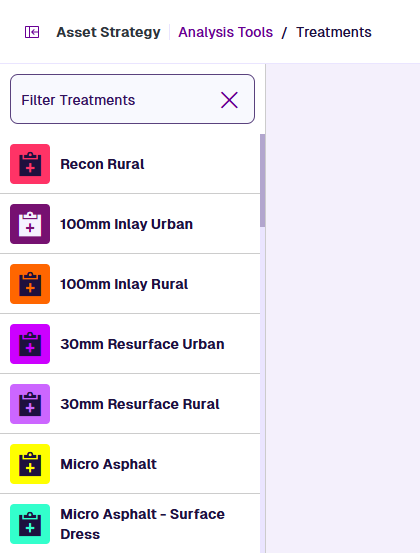
Open a Treatment
Select a Treatment in the list to open its settings.
Edit the Treatment
Scroll down to view each settings section of the current Treatment. To jump to a particular section, select it on the right.
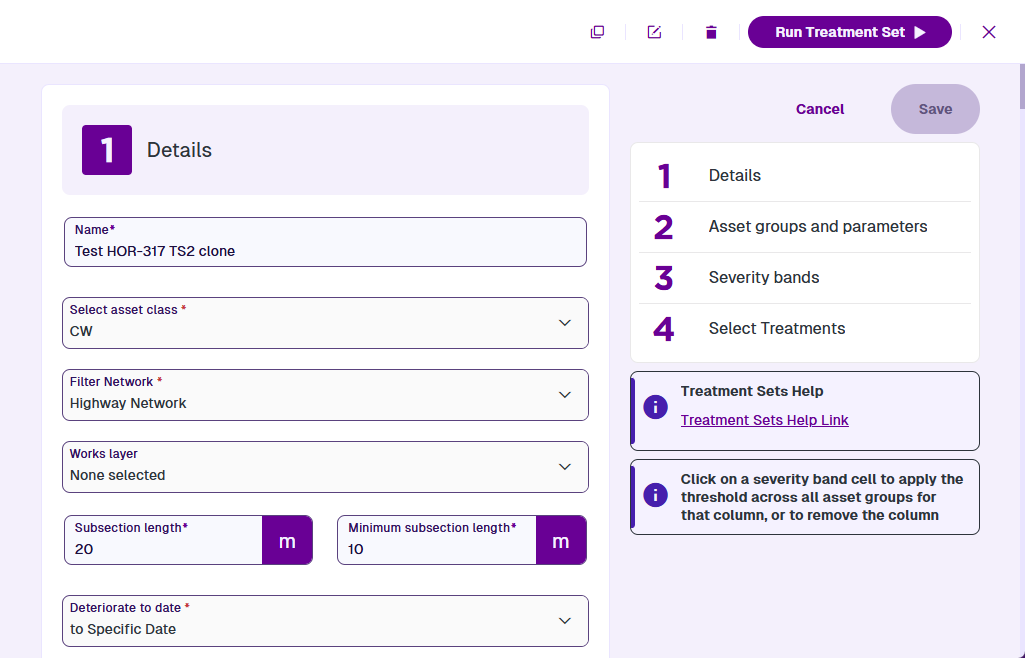
To edit any of the Treatment's settings, select the relevant field and then type or choose a new value for it. To save your changes, select Save on the right. Alternatively, select Close in the top-right corner to close the Treatment without saving.
For information about the fields in each settings section, see Create a Treatment.
Treatment actions
To perform an action with the current Treatment, select one in the top-right corner:
-
Clone - start creating a copy of the Treatment. It'll have the same configuration as the original, except for any obsolete/archived settings. Edit any fields as needed and then select Create at the bottom.
-
Delete - permanently delete the Treatment.
If the Treatment is in use
A window will notify you of the Treatment Sets it belongs to. For each one:
-
Select the Treatment Set to open it.
-
In the 4 Select Treatments section, find the Treatment in the hierarchy and select its Remove button.
-
Save the Treatment Set.
-
Use your browser's Back button to return to the Treatment and select Delete again.
When the Treatment is no longer in use, the deletion will be successful.
-
-
Close - exit the Treatment without saving.
Create a Treatment
There are two types of Treatment:
-
Create Treatment - create a standard Treatment that represents a physical procedure to improve an asset's condition.
-
Create Opex Treatment - create an Opex Treatment that represents the operational expenditure of untreated assets.