Manage Treatment Sets
Access and organise your Treatment Sets
Treatment Sets define organised hierarchies of Treatments, along with rules for how those Treatments may be triggered on your Network assets. Create any number of Treatment Sets to serve as the basis of fully fledged Works Plans.
To browse the Treatment Sets in your company project, select Analysis Tools > Treatment Sets in the left panel.
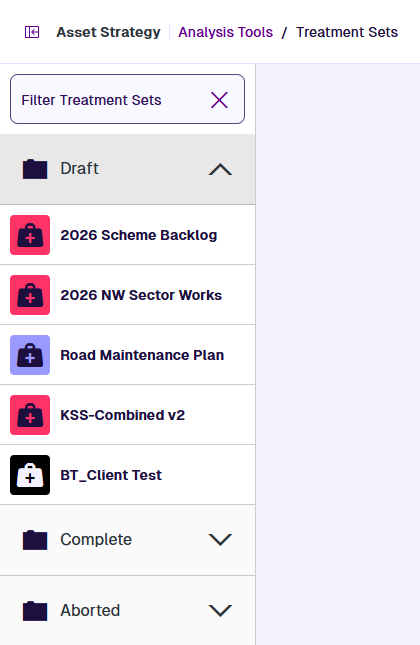
Treatment Sets are listed on the left. They're grouped into folders according to their status:
-
Draft - editable Treatment Sets.
-
Processing - read-only Treatment Sets that are being built.
-
Aborted - read-only Treatment Sets that were cancelled while building.
-
Complete - read-only Treatment Sets that built successfully.
-
Failed - read-only Treatment Sets that failed to build.
To filter the list, type within its top search box. Select Clear to remove the filter.
Open a Treatment Set
Select a Treatment Set in a folder to open its settings.
Edit the Treatment Set
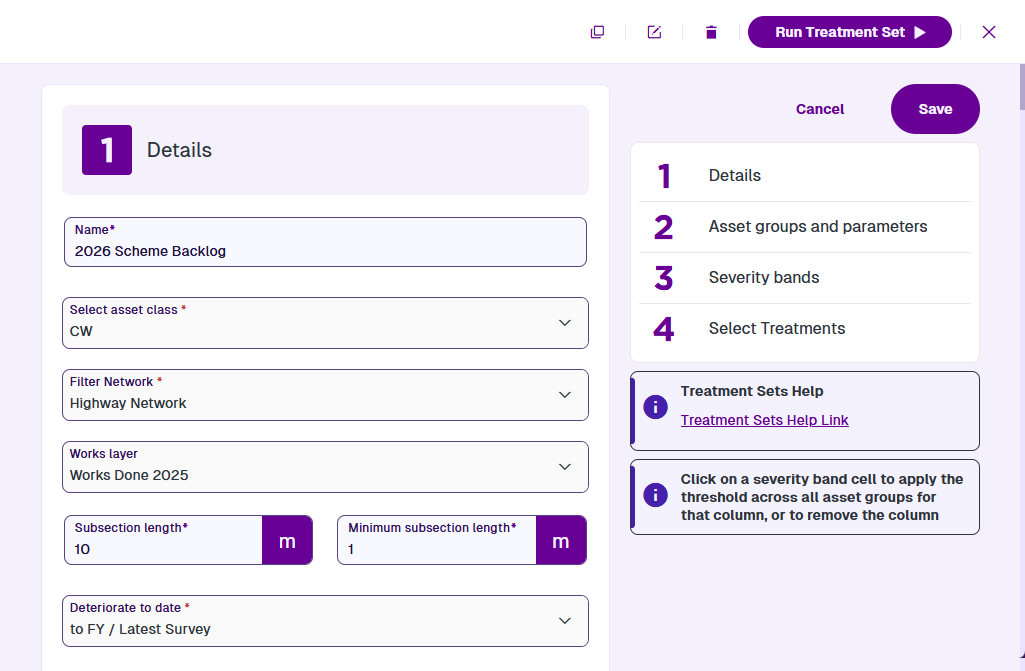
Scroll down to view each settings section of the current Treatment Set. To jump to a particular section, select it on the right.
Only draft Treatment Sets can be edited! To edit any of the Treatment Set's settings, select a field and then type or choose a new value for it. To save your changes, select Save on the right. Alternatively, select Close in the top-right corner to close the Treatment Set without saving.
For information about the fields in each settings section, see Create a Treatment Set.
When editing or cloning a Treatment Set:
-
If the Filter Network setting references an archived Network Layer, you must choose a new one.
-
If the Deteriorate to date setting points to an old Specific Date, it'll update to the start of the current financial year.
Treatment Set actions
To perform an action with the current Treatment Set, select one in the top-right corner:
-
Clone - start creating a copy of the Treatment Set. It'll have the same configuration as the original, except for any obsolete/archived settings. Edit any fields as needed and then select Save at the bottom.
-
Rename - change the Treatment Set's name (even if it's read-only).
-
Delete - permanently delete the Treatment Set. If the Treatment Set is processing, select Cancel Treatment Set Run first.
-
Close - exit the Treatment Set without saving.
If you delete a completed Treatment Set, it may impact any Works Plans, Reports or Layers that reference it.
View results
To view the results of a completed Treatment set, select a button in the top-right corner:
-
View in Explorer - visualise initial Treatment schemes on the map.
-
View Report - read the details of initial Treatment schemes in formatted reports.