Create a Sub-budget
Set funds for specific Networks or Treatments
To create and configure a new Sub-budget, select Analysis Tools > Budgets in the left panel, then Create Budget in the top-right corner.
A Sub-budget represents the funds available for asset management, separated into multiple budget allocations for different Treatments or parts of a Network. This provides a total cost threshold for a Works Plan to stay below while trying to meet its targets. Fill in the form and enter amounts for specific financial years. Fields marked with an asterisk * require a value to continue.
To save the new Sub-budget, select Create on the right.
Details
Choose the type of Sub-budget to create:
-
Name * - enter a distinct name that clearly identifies the Sub-budget.
-
Budget type * - choose one of the following:
-
Sub-budget: Network - specify budget amounts for parts of a Network. Select Layer selection and choose the relevant Network Layer from the list.
-
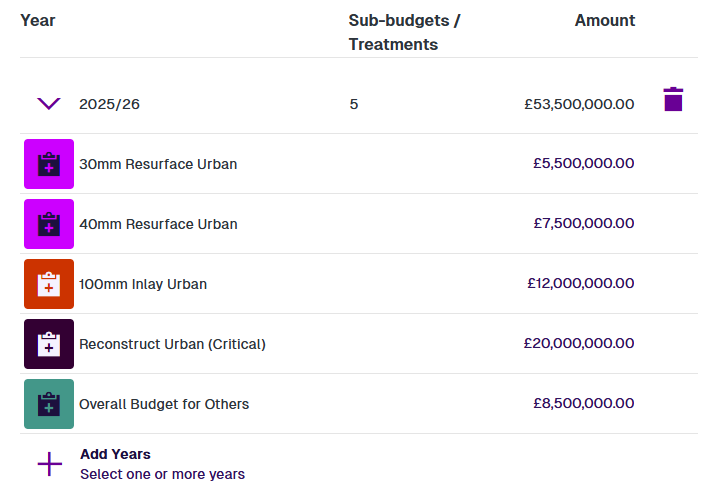
Sub-budget: Treatment - specify budget amounts for different Treatments. Use the Select Treatments button to select which ones.
-
Alternatively, to specify just one overall budget amount per financial year, see Create a Budget.
Budget
Configure the Sub-budget:
-
Allocation - depending on the chosen type:
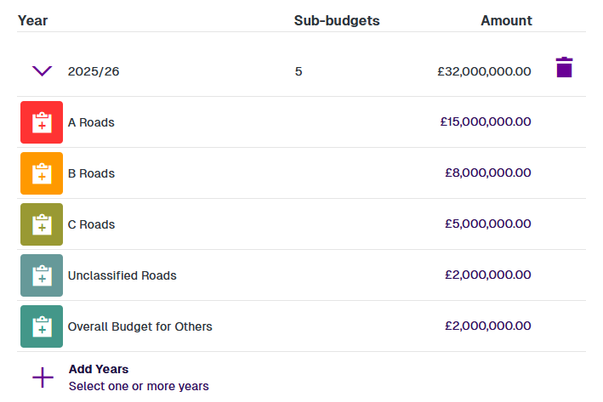
Sub-budget: Network
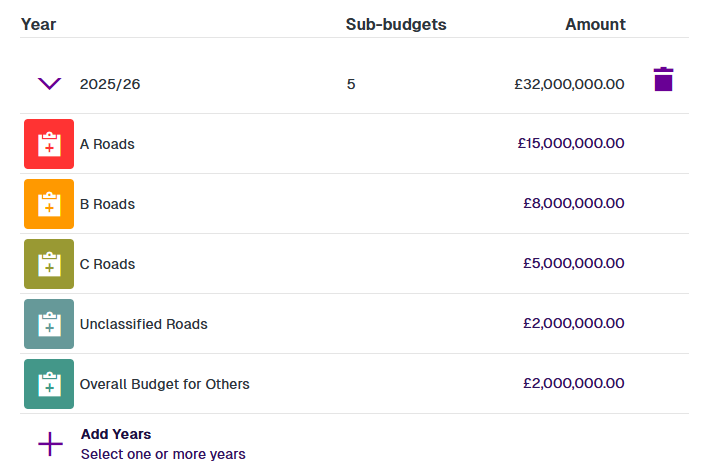
This section lists the styles of your chosen Network Layer. Depending on how your company project is configured, these styles may represent geographical areas (e.g. districts) or asset classes (e.g. road classifications). The Overall Budget for Others covers everything else that isn't within the Network Layer.
Sub-budget: Treatment
This section lists your selected Treatments. The Overall Budget for Others covers all other Treatments that aren't in the list.
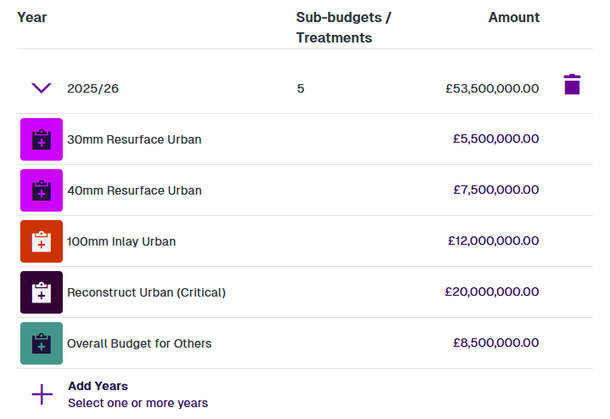
Enter the budget amounts for the current financial year. To add more years, select Add Years, make your selection and then select Save. They don't have to be consecutive. You can then enter amounts for each selected year. To remove a year from the Sub-budget, select Delete.
-
Inflation rate - enter an average inflation rate to estimate the budgets of future financial years. If set to zero, all future years will use the last entered amounts.
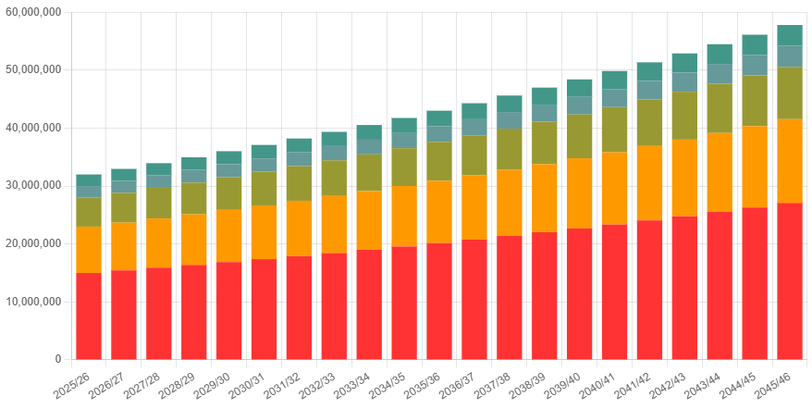
The bottom graph displays a projection of your Sub-budget over the next 20 financial years.
If amounts aren't entered for a financial year, they will automatically remain the same as the previous year. Preceding years use the first amounts entered. For the years following the last entered amounts, inflationary rises are calculated at the specified rate, to estimate what future budgets may be.